How do you make sure every candidate is ready when an online exam starts? The answer is to give them access to the preparation steps before the exam opens.
That is exactly what Nexam’s new pre-exam waiting room does. Candidates complete their technical checks, enable proctoring and read the instructions ahead of time, then wait for their exam to open. Exam administrators, for their part, can follow in real time the pre-exam step each candidate has reached, so they can quickly spot anyone who may need help.
What is an online exam waiting room?
An online exam waiting room lets candidates complete every pre-exam step before the scheduled start time. Device and connection check, proctoring activation when required, reading and accepting the instructions: everything is taken care of before the exam opens. All that’s left is to wait for the start, ready to go.
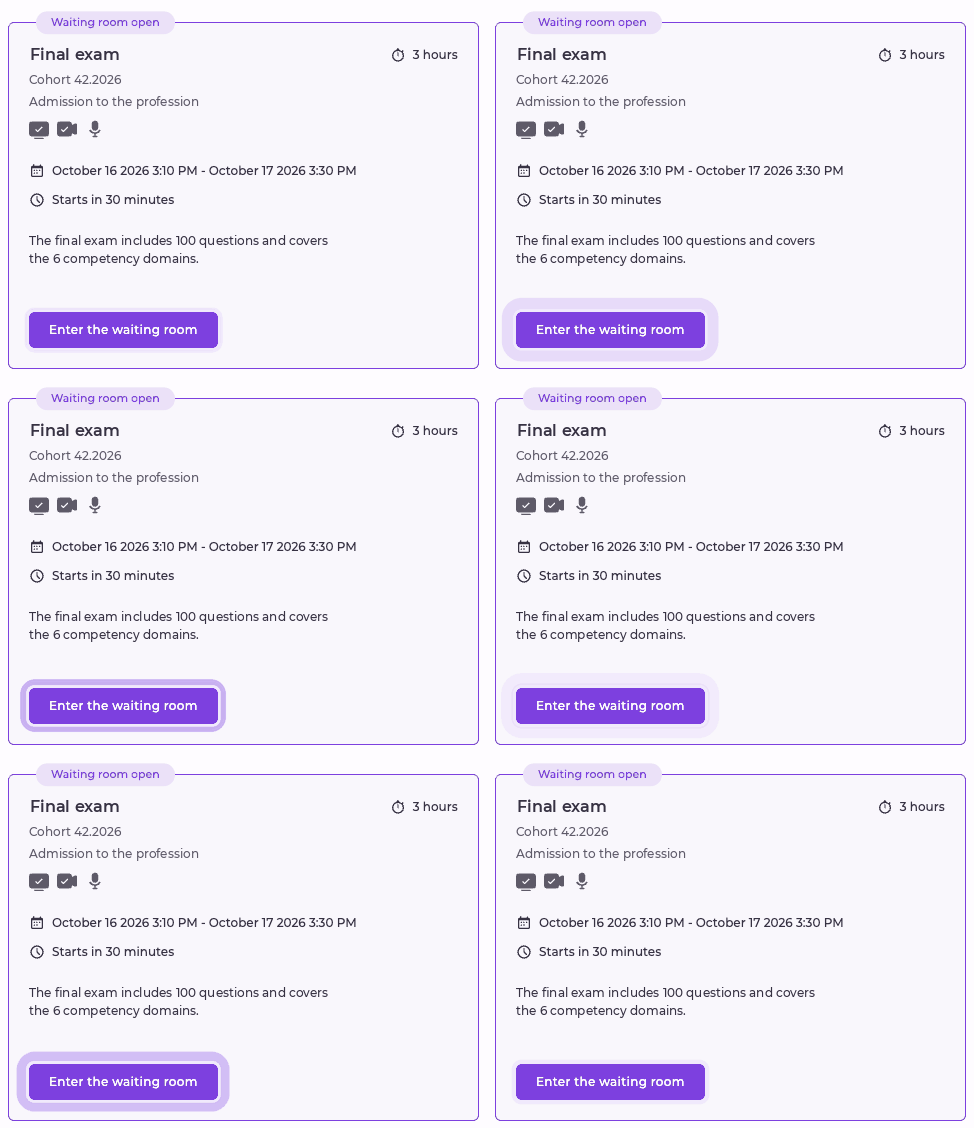
In Nexam, the exam administrator enables the waiting room for each session and, if needed, sets how far in advance it opens. When that period begins, the exam card on the candidate’s dashboard displays “Waiting room open”, and the “Enter the waiting room” button lets them begin their preparation.
⚠️ Note: the exam instructions become available as soon as the waiting room opens. They should therefore contain no confidential information about the exam content.
Less stress for candidates before the exam
The first few minutes of an online exam are often the most stressful. The first benefit of the waiting room: candidates take care of everything they can before the scheduled time, then start the exam with peace of mind.
- Technical checks done in advance. The device check validates the connection, uploads and network stability, among other things. If something fails, candidates have time to fix it before the exam opens.
- Proctoring enabled only once. When the exam is proctored, the required sharing is enabled during the introduction and stays active in the waiting room, with no need to restart it.
- Instructions read without pressure. Candidates read and accept the instructions without cutting into their writing time.
- Clear confirmation. The waiting room shows a countdown to the opening and confirms the completed steps: “Device check passed”, “Monitoring enabled” and “Instructions read and accepted”.
- A device that stays awake. The device doesn’t automatically go into sleep mode while waiting, just as during the exam itself.
Candidates know that everything is ready on the technical side. All they have to do is wait for the start button to become active. The steps are detailed in the Help Center article Access the Waiting Room Before an Exam.
Psst! Nexam also offers free technical tests and a “Validate your device” area that candidates can access at any time. In a high-stakes context, this reduces tech-related stress so candidates can focus on the content when the time comes. |
Starting on time for the whole session
When the exam opens, the waiting room updates automatically and the start button becomes active, with no need to go back to the dashboard. Candidates who are ready can start from the very first minute.

The waiting room also respects individual schedules. When a custom availability period is set for a candidate, their waiting room is calculated from their own opening time. Two candidates in the same session can therefore have different waiting periods.
Tracking candidate progress before the exam starts
For exam administrators, this new feature goes beyond the waiting room. Throughout the session, they can follow the pre-exam step each candidate has reached.
The tracked steps are:
- Not started
- Device check
- Proctoring activation (when required)
- Reading the instructions
- Waiting room
- Assessment started
This tracking applies to all exams, even when the waiting room isn’t enabled. For example, it helps identify a candidate still stuck at the device check after their exam has opened, so you can reach out before they fall further behind.
Frequently asked questions
Is time spent in the waiting room deducted from the exam time?
No. Time spent in the introduction and in the waiting room is never deducted from the time allowed. The full writing time remains available… as long as the candidate isn’t late ⏰!
How long before the exam does the waiting room open?
The organization responsible for the exam sets the duration for each session, up to 60 minutes before the exam opens. Full details are in the Help Center article Setting up and using the pre-exam waiting room (EN link to confirm, Nexam login required).
Is proctoring active in the waiting room?
Yes, when the exam is proctored. The sharing enabled during the introduction stays active while waiting, and any captures taken during this period are kept with the exam’s other captures. Candidates should therefore stay in front of their screen while they wait.
What happens if a candidate logs in after the exam opens?
They follow the usual introduction steps, then start the exam directly, without going through the waiting room.
Does the waiting room work with a custom schedule?
Yes. When a custom availability period is set for a candidate, their waiting room is calculated from their own opening time.
How can candidates prepare before entering the waiting room?
The night before or the morning of the exam, candidates should plug in their computer, use a wired connection when possible and close any non-essential applications. They can also test their camera and screen sharing from “Validate your device”. All the recommendations are in the Help Center article Final checks before an online exam.
New to Nexam? See how the pre-exam waiting room and candidate tracking can fit into your exams. Book a demo